Step-by-step pairing
Inspect system & SIM port status
Sign in to the Etross ETS administration interface and review Status to verify active SIM registration, signal bars, call status, ASR and ACD across populated ports.
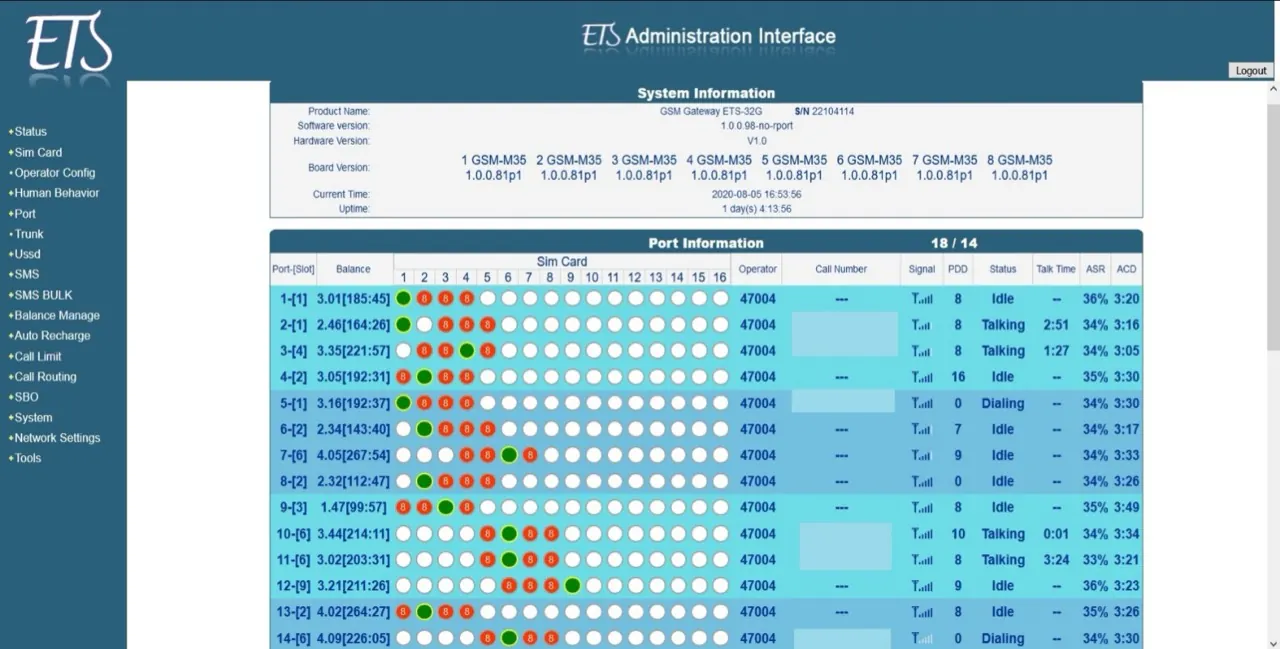
Figure 1 · Etross ETS system & SIM port information Configure static WAN address
Open Network settings → WAN, select Static mode (fixed IP), configure an IPv4 address on the Cloudfonica client subnet (
192.168.101.x / 255.255.255.0, static gateway192.168.101.1) and select Save.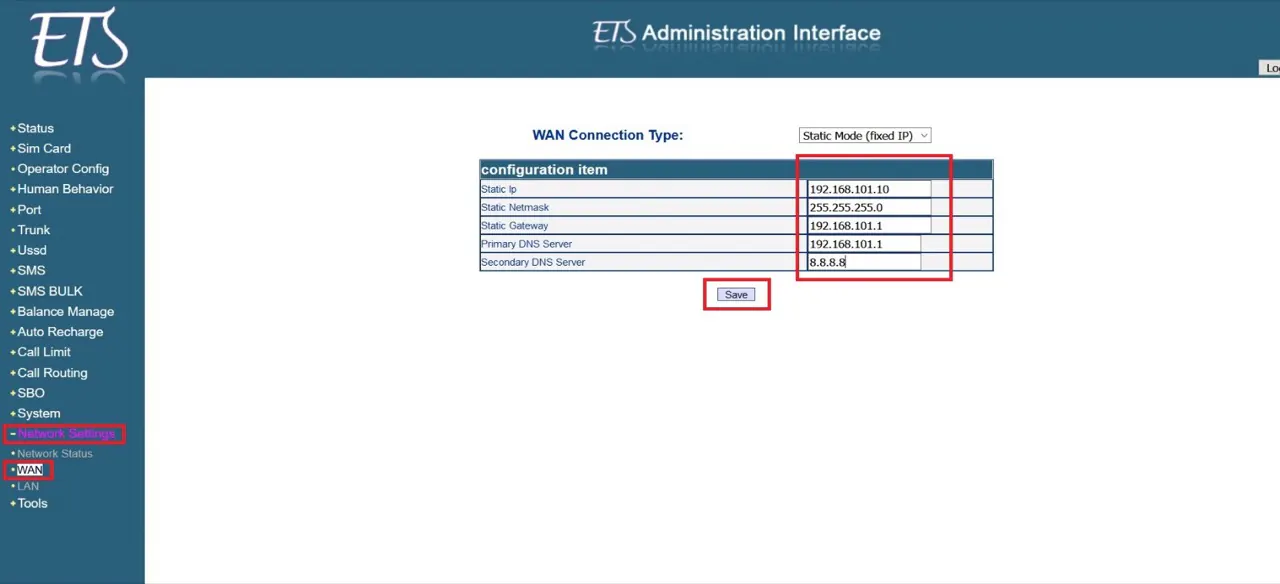
Figure 2 · Etross Network settings → WAN configuration Enable peer SIP trunk (192.168.101.1:5060)
Open Trunk, switch Trunk enable to ON, set Call routing profile to
sip-gsmand Trunk type topeer, then enter192.168.101.1and port5060under Peer setting and select Save.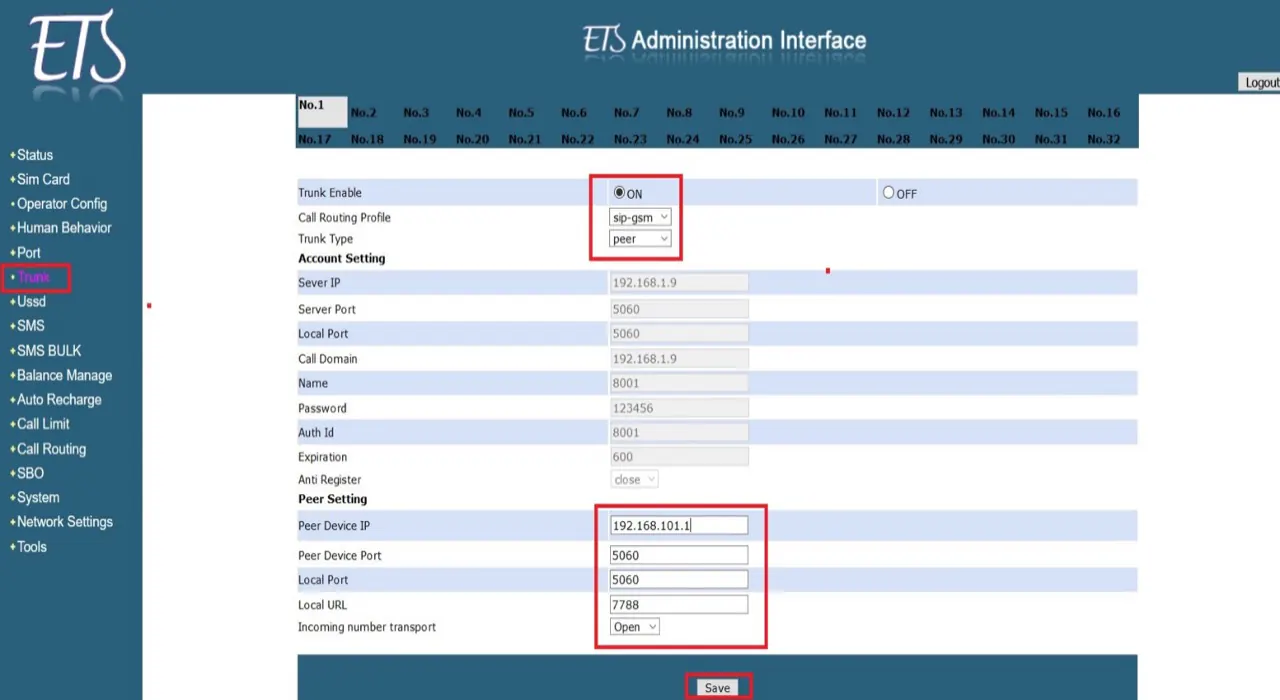
Figure 3 · Etross peer SIP trunk settings Map call routing & dial profile
Open Call routing → Route config, edit the
sip-gsmdial profile to define digit mapping and number translation across active SIM ports, keepG.729 / G.723prioritised, select Save, and register the gateway’s static IP inside your Cloudfonica service panel.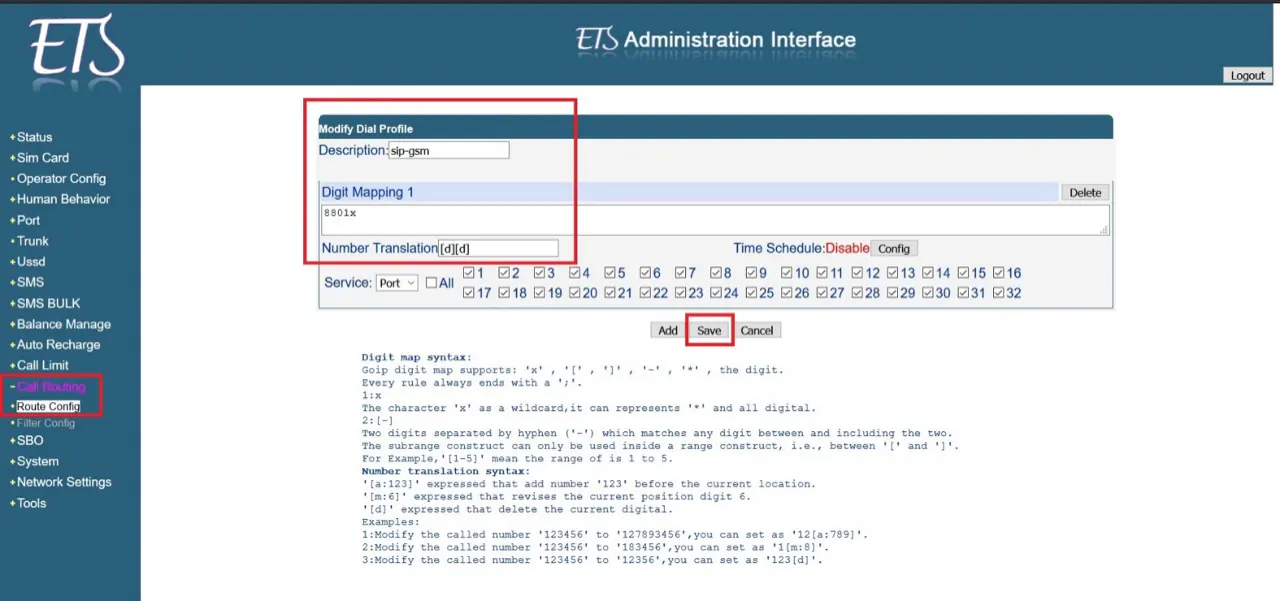
Figure 4 · Etross Call routing → Route config
Illustrated PDF manual
Etross gateway configuration guide
Four-step illustrated manual for Etross static WAN IP, peer SIP trunk (192.168.101.1:5060) and sip-gsm call routing.
SHA-256: a6cb2b286766…8b9dc2c6